PowerApps training found here – Get Help to Build Apps
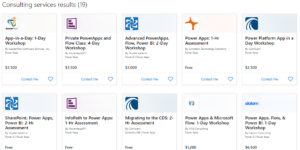
Find services to help you build great apps using your existing data.
https://appsource.microsoft.com/en-us/marketplace/consulting-services?country=US&page=1®ion=ALL&src=pa-ipm&search=powerapps_training
Free assessments and training available.
Build first PowerApp in SharePoint
-Read list data
-Build a shopping cart
Need a foundation to build off of. Your first app.
Save it and publish it out.
Do everything in the browser.
Start with a SharePoint list with 3 columns title, color, animal.
Go to PowerApps.com, you can create a free account.
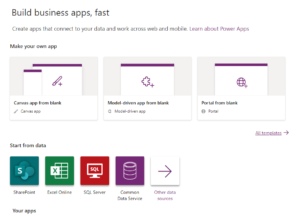
Go to Apps > Create new app
Store with SharePoint app > Phone layout – you can select blank
Grab the URL of the root web, not the list.
This will then show you all the lists available, and you can search existing lists.
Connects to data – and automatically builds app with screens you can work from.
You can hit play and preview the app.
Click a record and you can see all the details to the record. You can edit, and read-only fields you can’t edit.
Create a new item – shows the edit item screen but blank.
You can select the frame around the list of items and a sort formula shows.
Gallery layout – change to title, sub title, or change the fields that show on the list view.
Three ways to make an app
- Canvas app from blank
- Model-driven app from blank
- Portal from blank
Format: tablet and phone
To start building on a blank canvas, need to create a form or a gallery.
Push Play to see your app in action
